IRLStream for iOS
Coming soon to the App StoreYour IRL stream.
Run it from your phone.
Go live, watch your stream health, switch scenes, and get told the second a link drops. The IRLStream app puts your box, your destinations and your whole show in your pocket while you walk, ride, or roam.
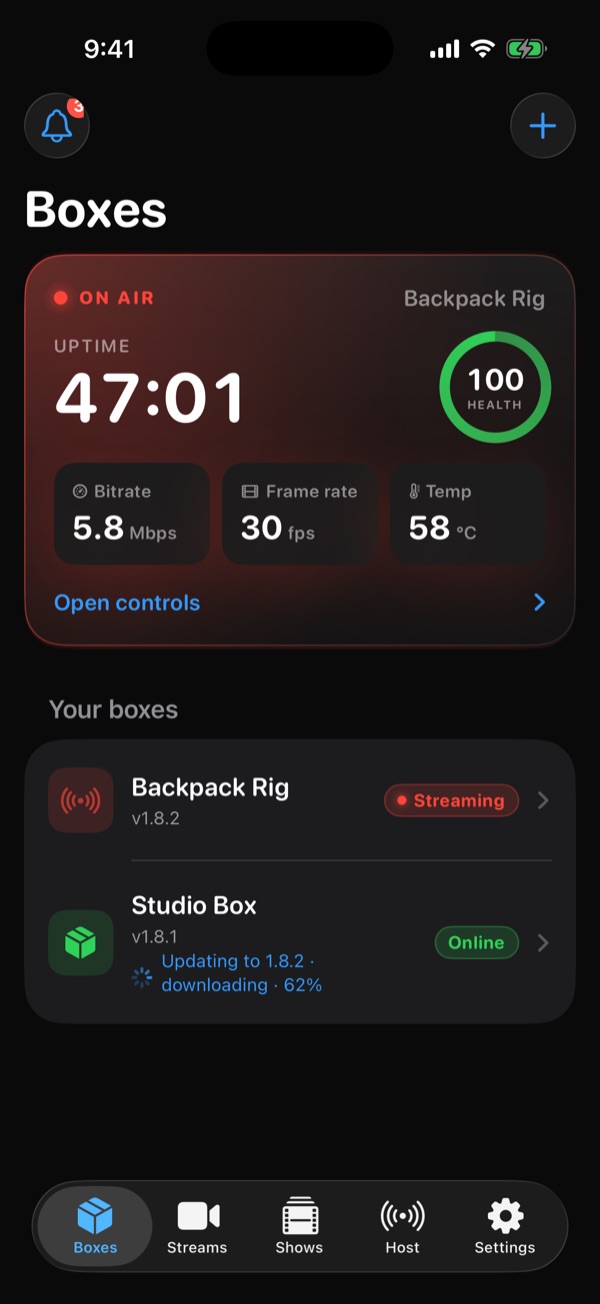
The real app
Your whole control room. One thumb.
Every screen below is the actual IRLStream iOS app, running on sample data.
Go live
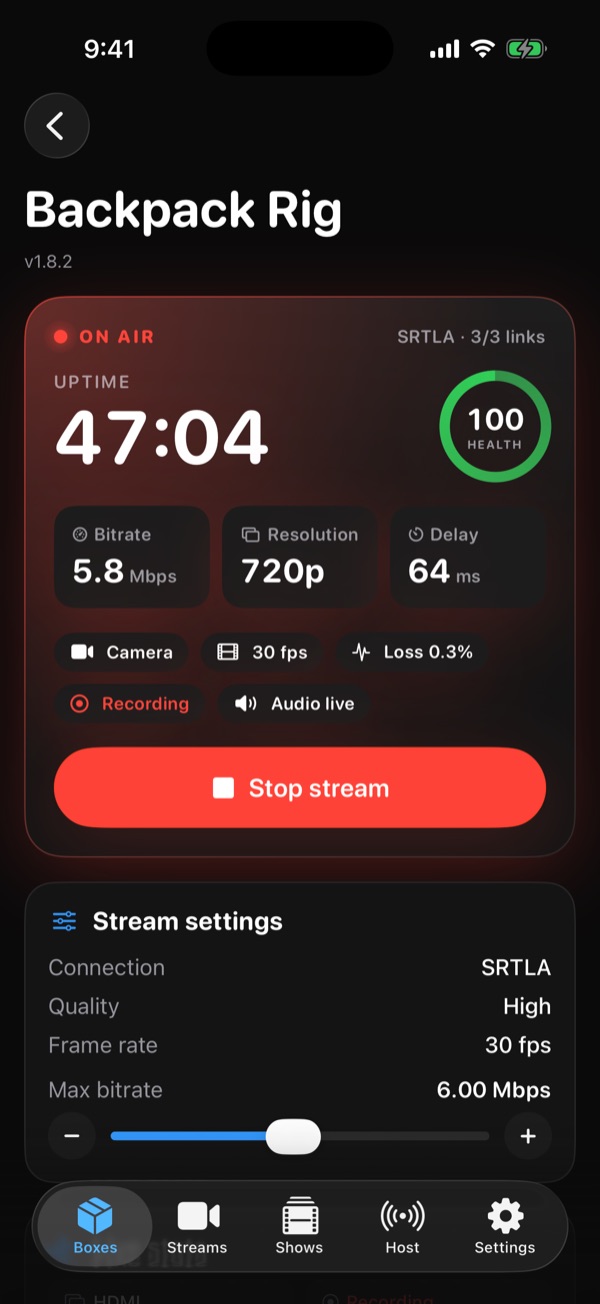
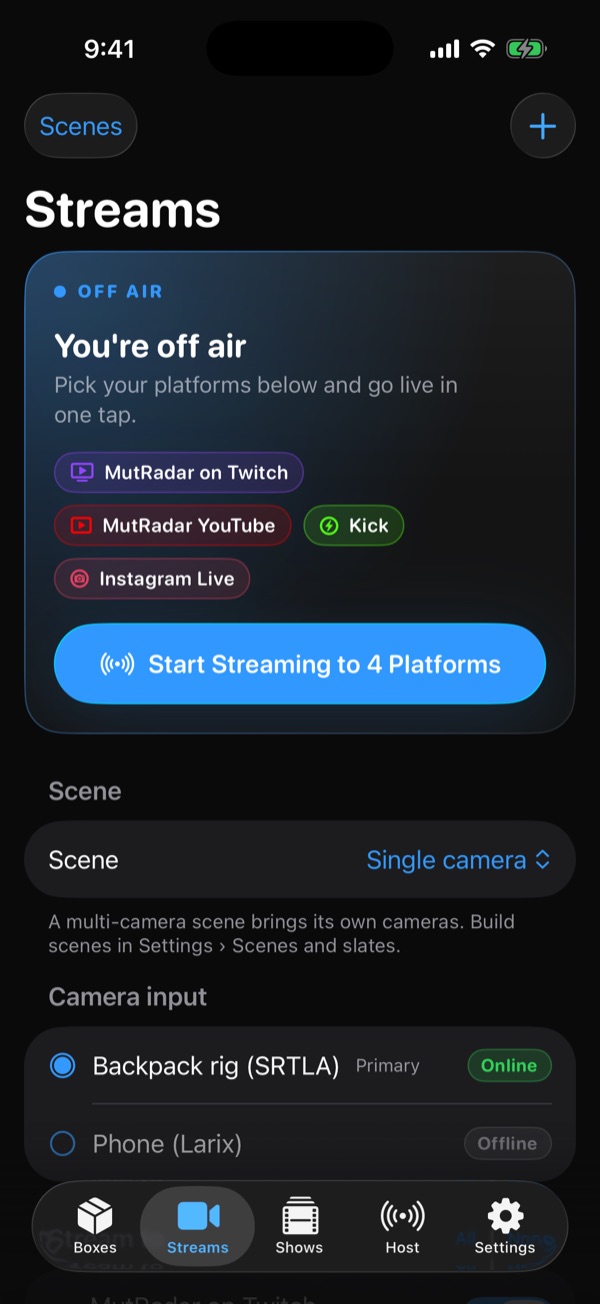
Go live from your box. Without touching it.
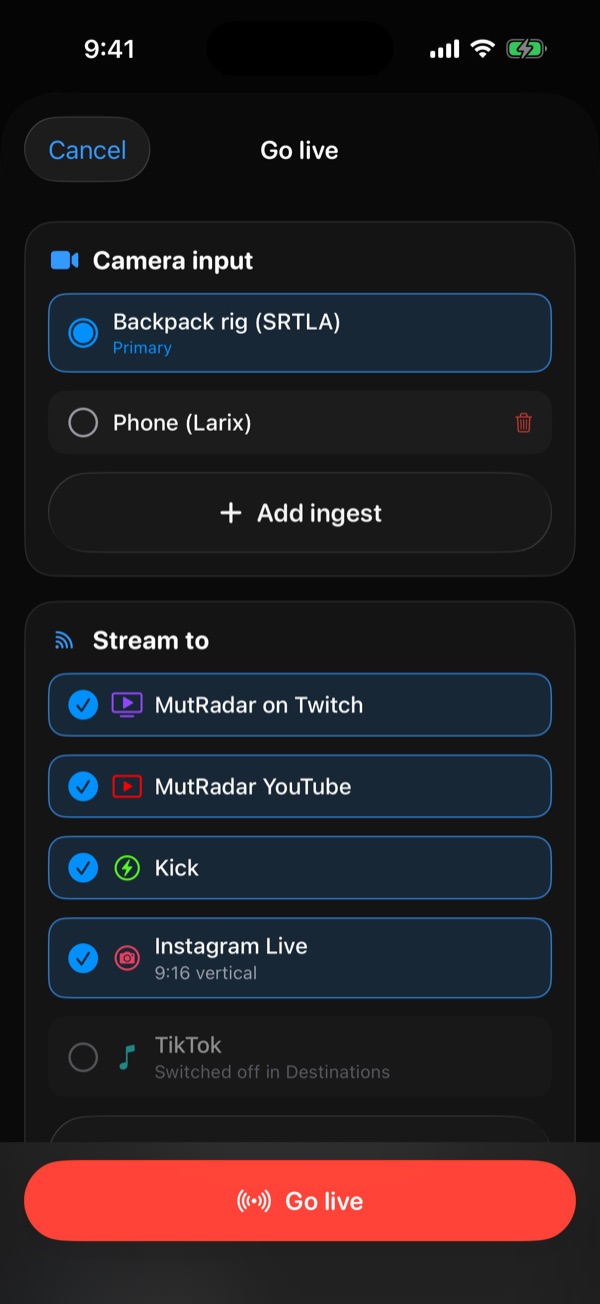
Your box rides in the backpack; the controls ride in your hand. Pick the camera, tick the platforms, and tap Go live.
- Choose the camera input: a bonded box or your phone
- Pick which platforms this stream goes to
- Bitrate, resolution, delay, recording and audio at a glance
- Tune max bitrate and stop the stream from anywhere
Stream health
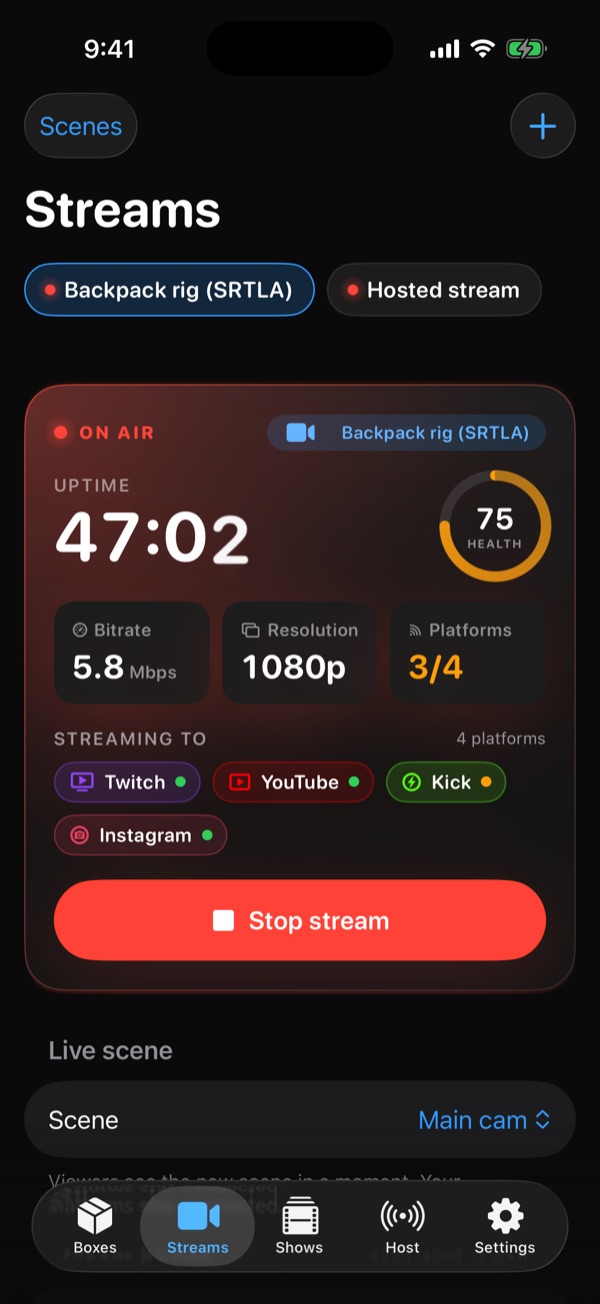
Live health at a glance. One ring tells you everything.
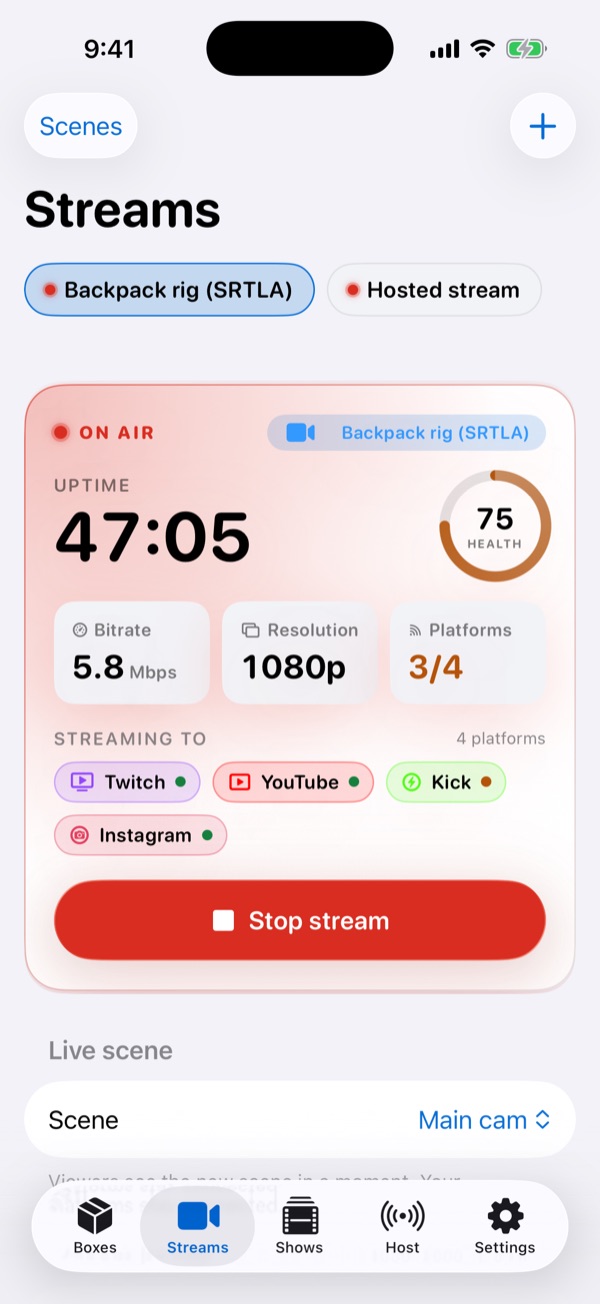
The Streams control room shows uptime, a health score, bitrate and resolution, plus a status dot for every platform you are pushing to.
- Health ring turns amber the moment the connection struggles
- Per-platform status for Twitch, YouTube, Kick and Instagram
- Switch the live scene without leaving the screen
- Off air? Start streaming to every platform in one tap
Destinations
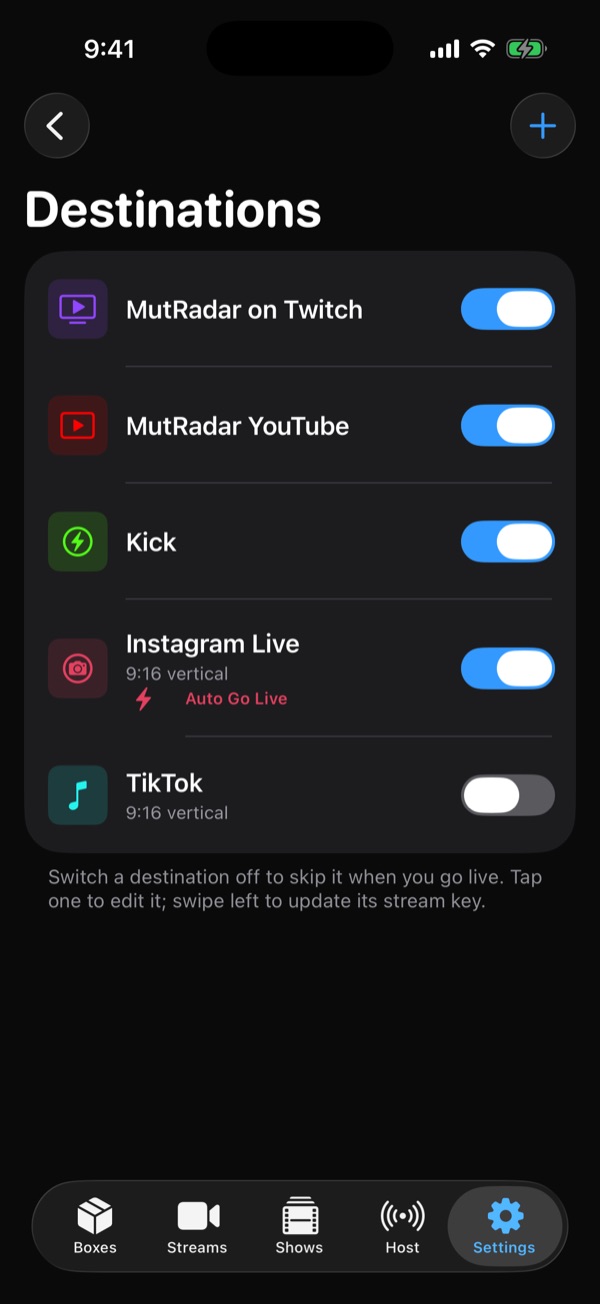
Every platform. Every shape.
Twitch, YouTube and Kick in 16:9, Instagram Live and TikTok in 9:16 vertical, all from the same stream. Flip a switch to skip one for tonight.
- Vertical 9:16 for Instagram Live and TikTok, framed for you
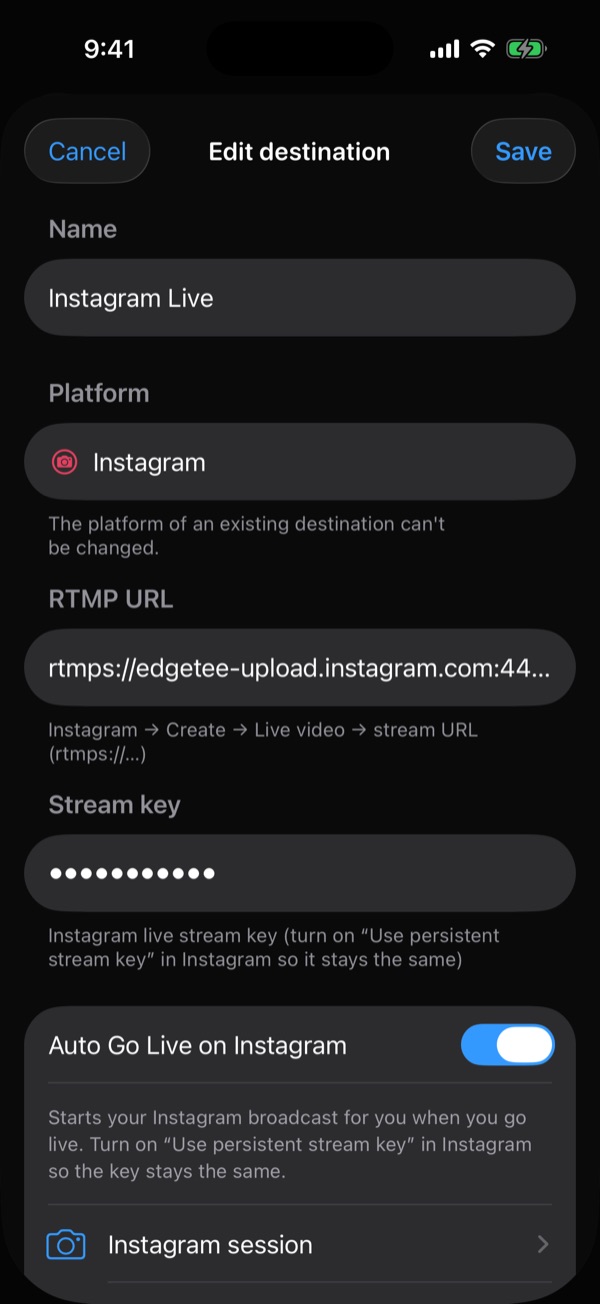
- Auto Go Live starts your Instagram broadcast for you
- Stream keys stay masked on screen
- Custom RTMP and SRT servers too
Shows + MutRadar
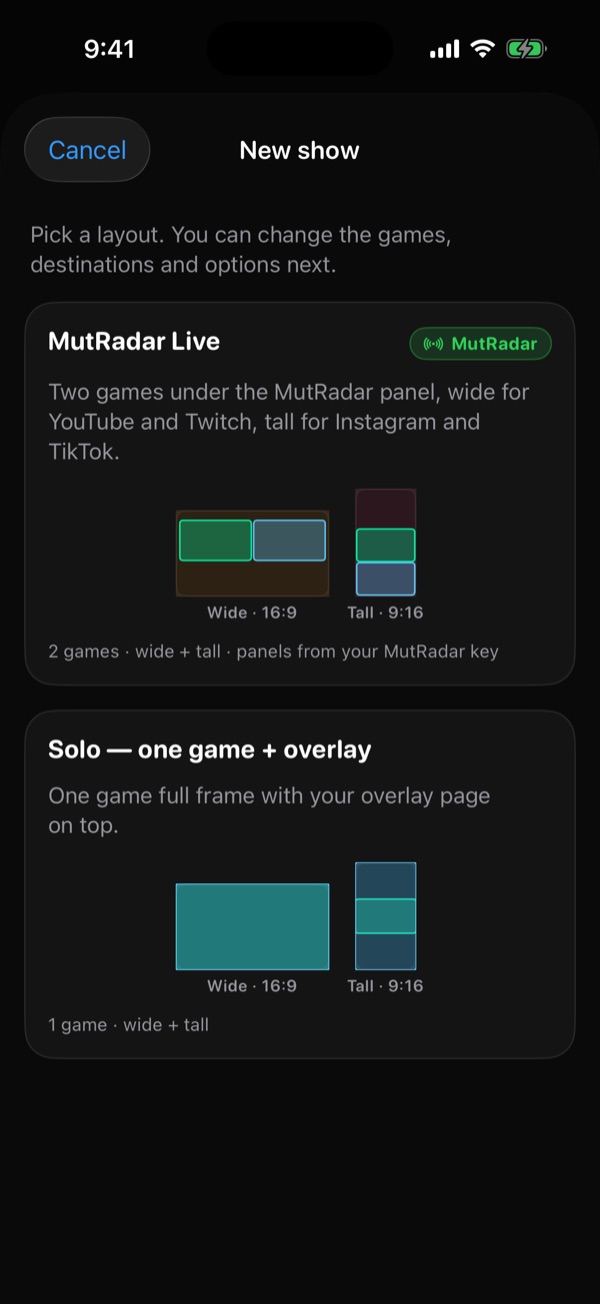
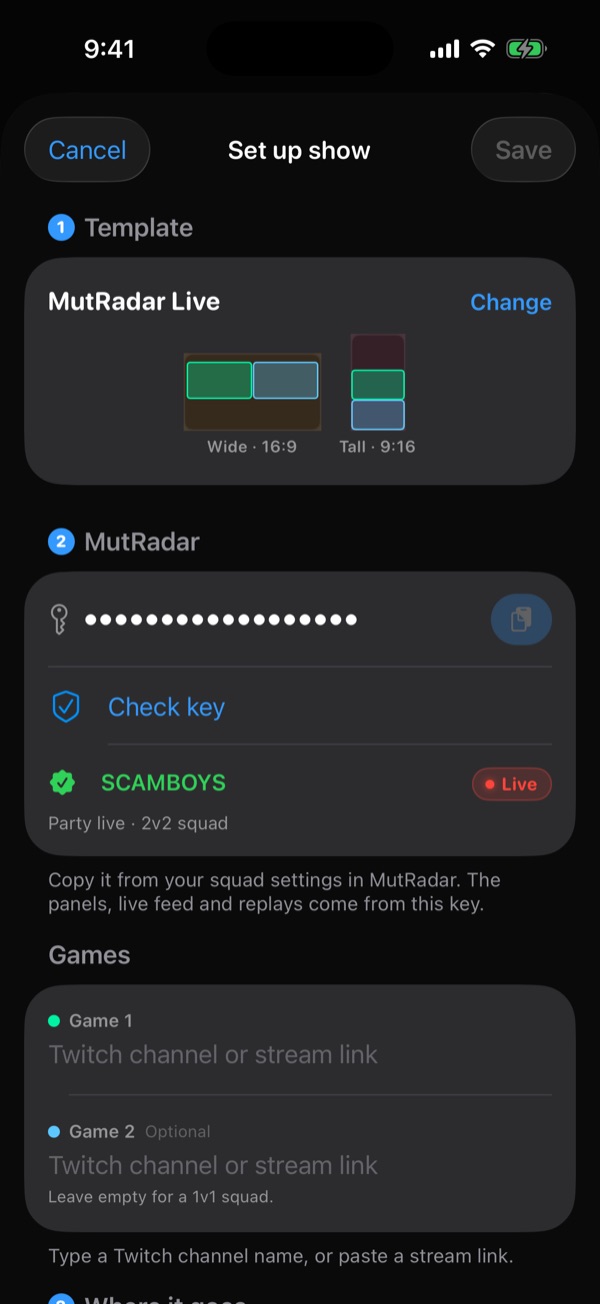
Shows with MutRadar, set up in a minute.
Run a Madden show with MutRadar panels, live feed and replays. Pick a template, paste your MutRadar key, and the app checks it against your live party before you start.
- MutRadar Live: two games, wide for YouTube and Twitch, tall for Instagram and TikTok
- Solo template: one game full frame with your overlay
- Key check confirms your squad is live
- Save shows and start them again in one tap
Scenes & slates
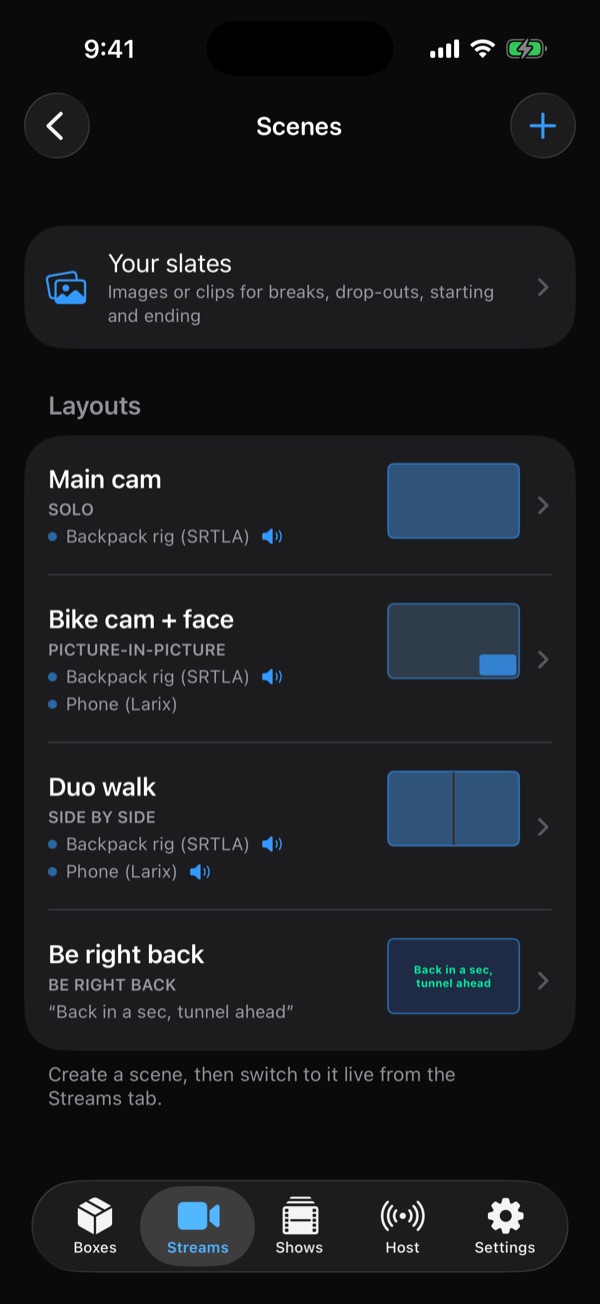
Scenes and BRB slates. Cut like a studio.
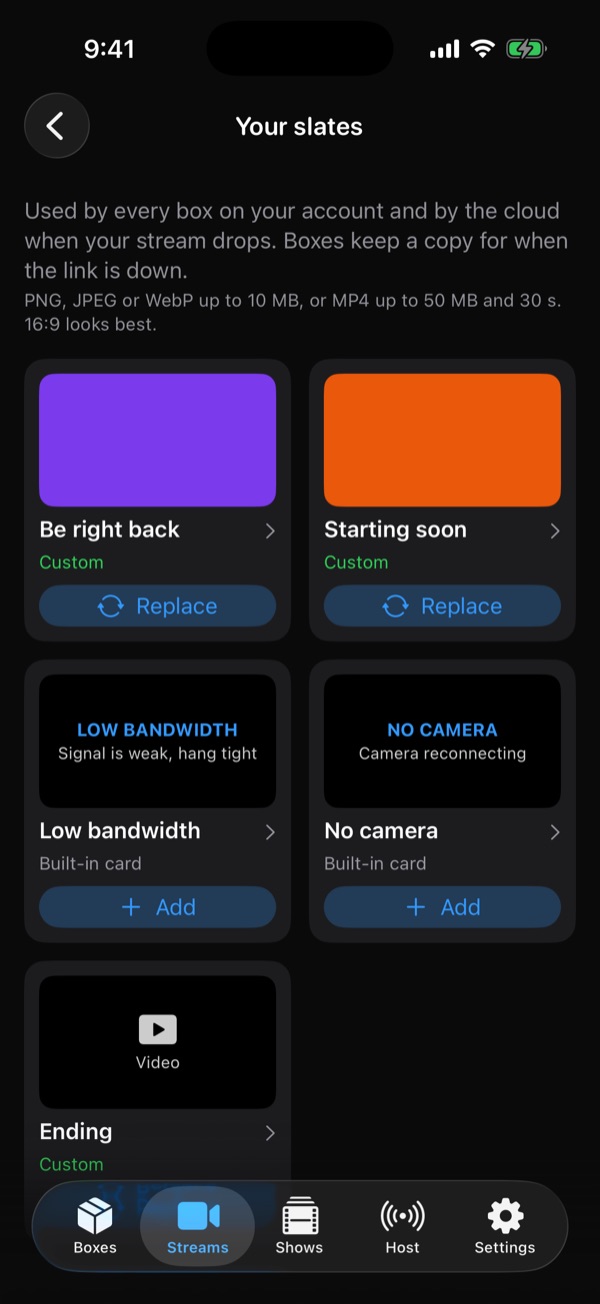
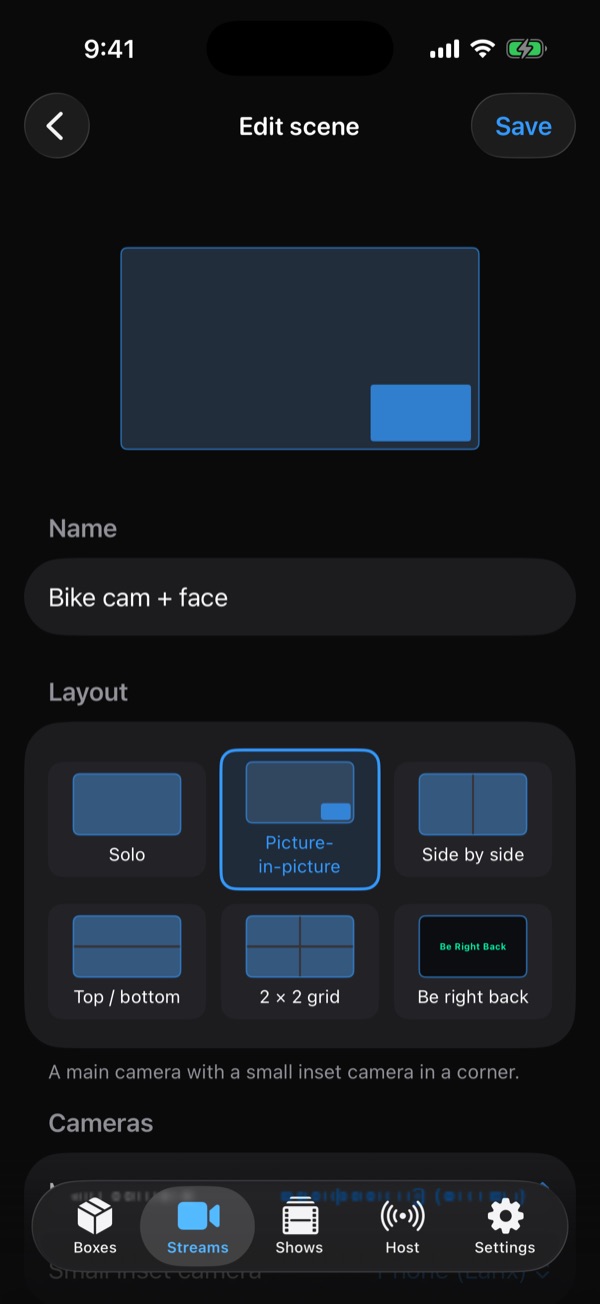
Build layouts once, then switch them live from the Streams tab. When the signal drops, your own BRB slate holds the stream so viewers stay put.
- Solo, picture-in-picture, side by side, top/bottom and 2×2 grid
- Your own Be right back, Starting soon and Ending slates
- Built-in Low bandwidth and No camera cards
- Images or short MP4 clips, shared by every box on your account
Host
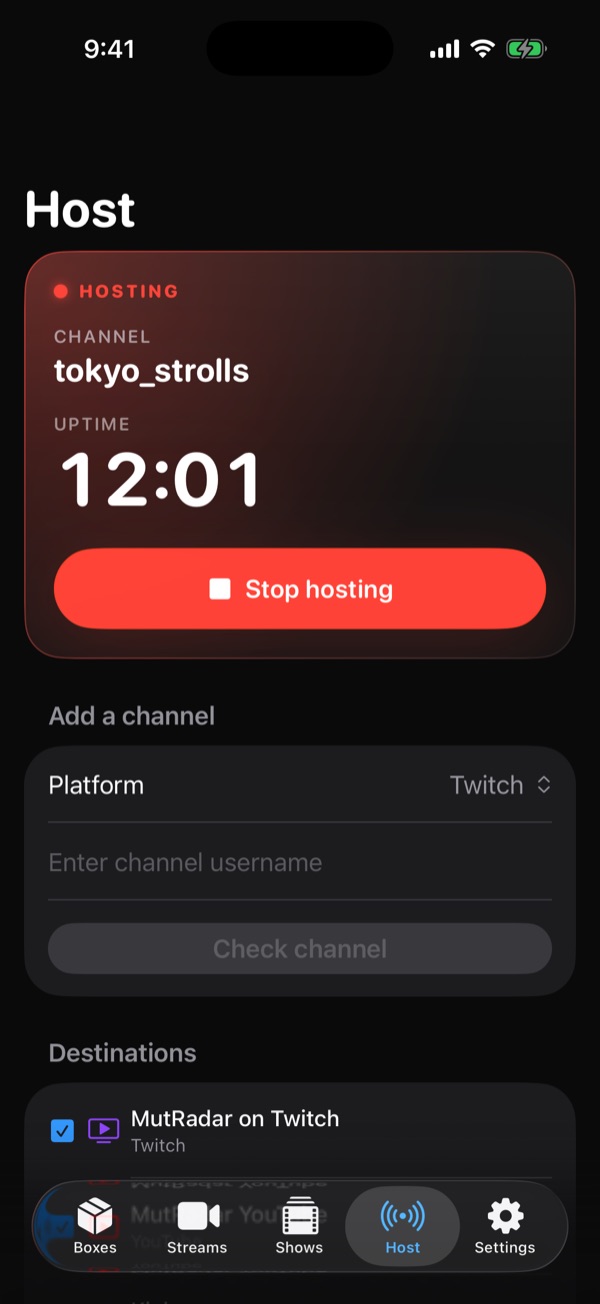
Host another channel. Keep your viewers busy.
Off air or taking a break? Rebroadcast a friend’s channel to your destinations and keep your platforms warm until you are back.
- Enter a channel and check it before you host
- Choose which destinations carry it
- Uptime on screen, stop hosting in one tap
Alerts
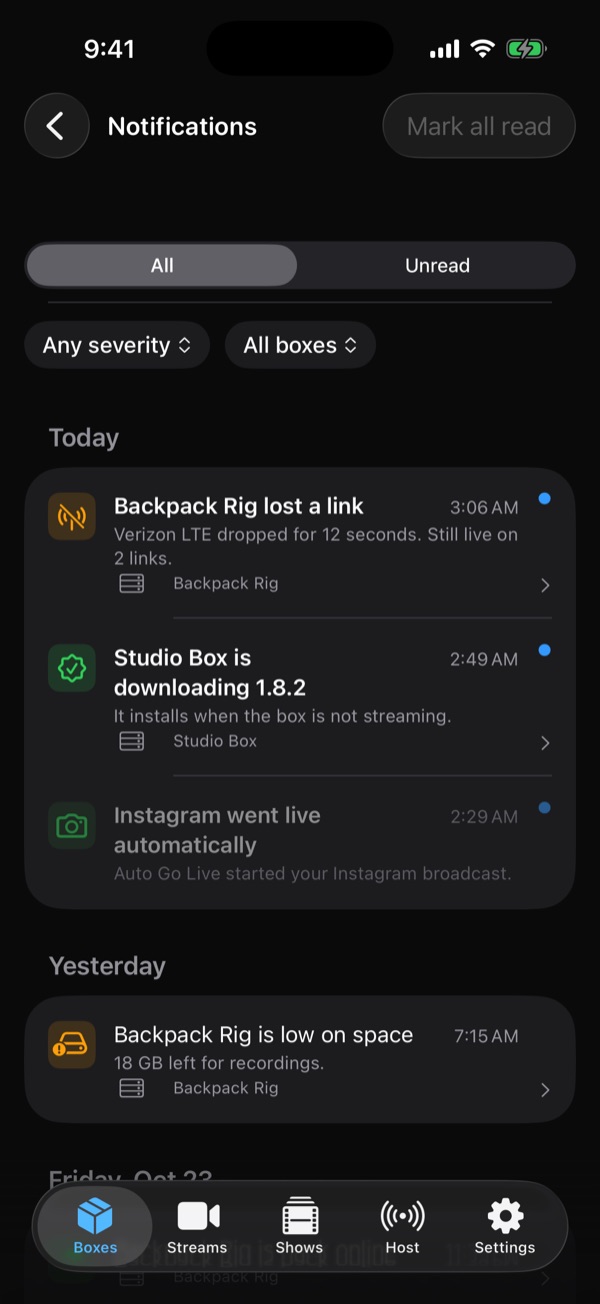
Know before chat does. Alerts that matter.
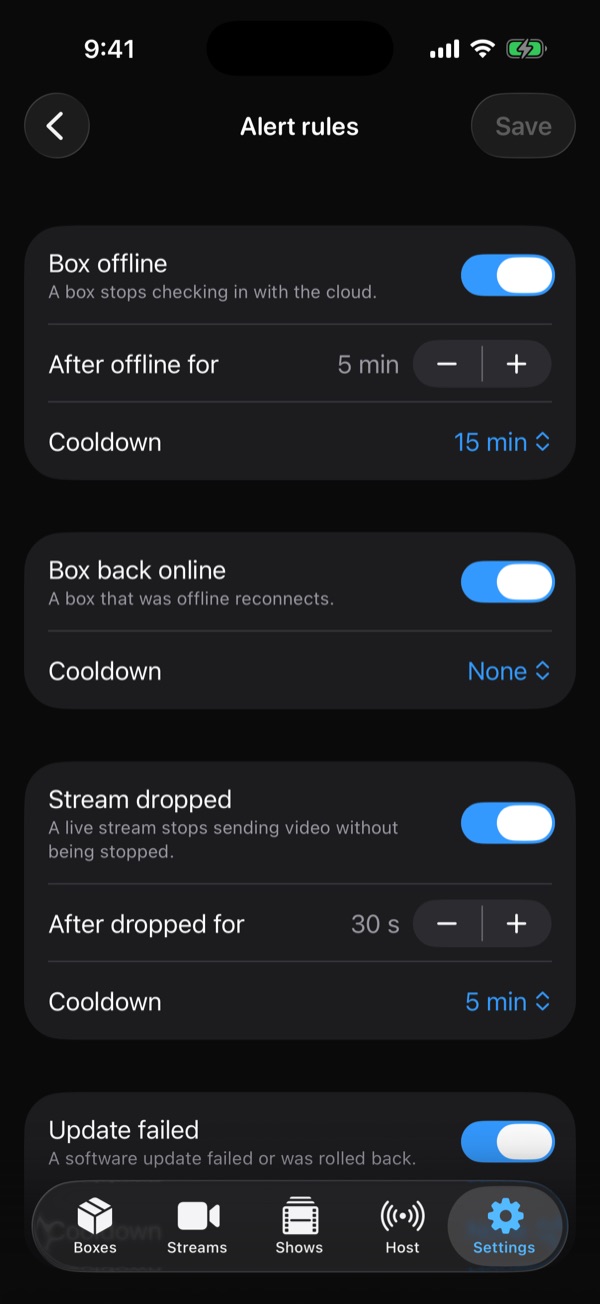
A dropped link, a box going offline, a stream that stops sending video: the app tells you right away, and you decide what is worth a ping.
- Notifications feed filtered by box and severity
- Rules for box offline, back online and stream dropped
- Delivery to email, Discord and Slack as well
- Cooldowns so one bad tunnel is one alert, not twenty
Connected accounts
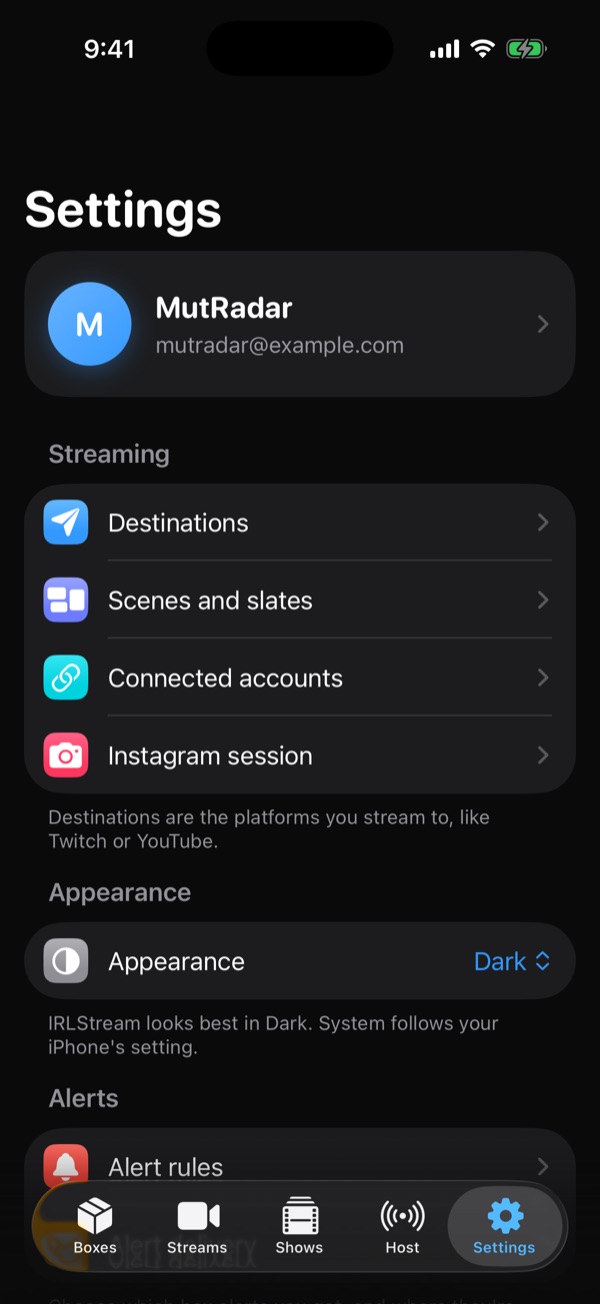
Your accounts, one settings screen.
Connect Twitch, YouTube and Kick to read and reply to chat as yourself, keep your Instagram session ready for Auto Go Live, and manage destinations, scenes and alert rules in one place.
- Chat replies and moderation happen as your own account
- Instagram session for Auto Go Live
- Dark and light appearance
Take the tour
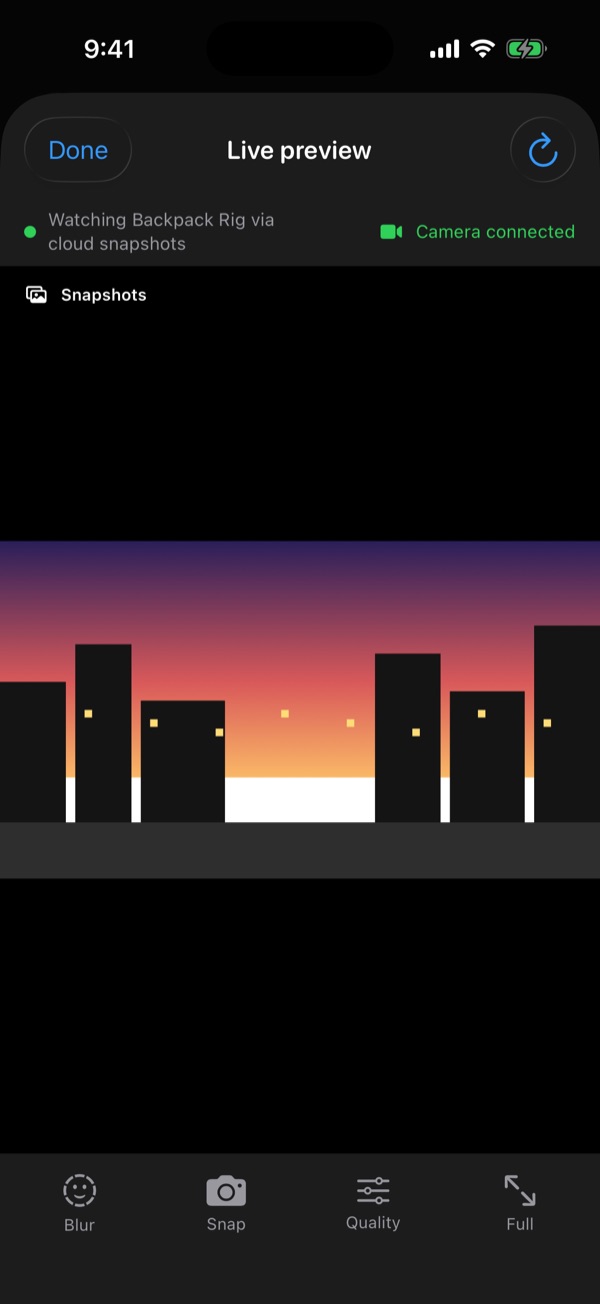
More of the app. Swipe through.
Coming soon to
the App Store.
The iOS app isn't available to download yet. Leave your email and we'll tell you when it's on the App Store. Until then, the IRLStream web app does it all from any browser.
Get notified
One email when the iOS app is ready. No spam.