GTA 6 Stream Template
Neon Heist · an original IRLStream template for GTA 6 streamers
A neon-sunset broadcast for open-world sessions. It reads the game HUD live (wanted stars, cash, weapon), fires stings like Heat up and Heat cleared on its own, runs chat polls and has seven scenes from Starting Soon to the Ending recap, with or without a webcam. Stream from your PS5 or Xbox Series X|S with a capture card, or from OBS.
Launches Nov 19, 2026, the day the game comes out on PS5 and Xbox Series X|S. Runs in IRLStream Shows: see plans and pricing.
The template's own scenes with sample data. Video areas are stand-ins: on air, that's your game and webcam.
Watch
Neon Heist on air.
A 64-second look at the template on a real GTA 6 session. Sound is off until you turn it on.
Gameplay recorded by the IRLStream team. Neon Heist is an original IRLStream template. IRLStream is not affiliated with or endorsed by Rockstar Games or Take-Two Interactive. Grand Theft Auto and GTA are trademarks of Take-Two Interactive.
Live demo
Every scene, running live.
These are the real Neon Heist pages running in your browser on sample data. Switch scenes and watch heat, evidence, wallet, poll, mode and stings update on their own.
GTA 6 · Neon HeistWide 16:9 · sample data
Scenes
RUNNINGGameplay: Heat climbs to six stars through Investigating, Searching, Pursued, Losing them and Lying low, then clears. Evidence chips light up, wallet and bank change, a chat poll fills and picks a winner, the mode cycles Heist, Chase and Cruise, and a sting fires every 8 seconds. All widgets stay clear of the game HUD.
The real Neon Heist template running on sample data. Game and webcam areas are abstract stand-ins. On air, the overlay reads the GTA 6 HUD automatically: wanted stars, cash and weapon.
Seven scenes
One look, start to finish.
Every scene shares the same art and your title, and the live stats follow you from Gameplay to the Ending recap.
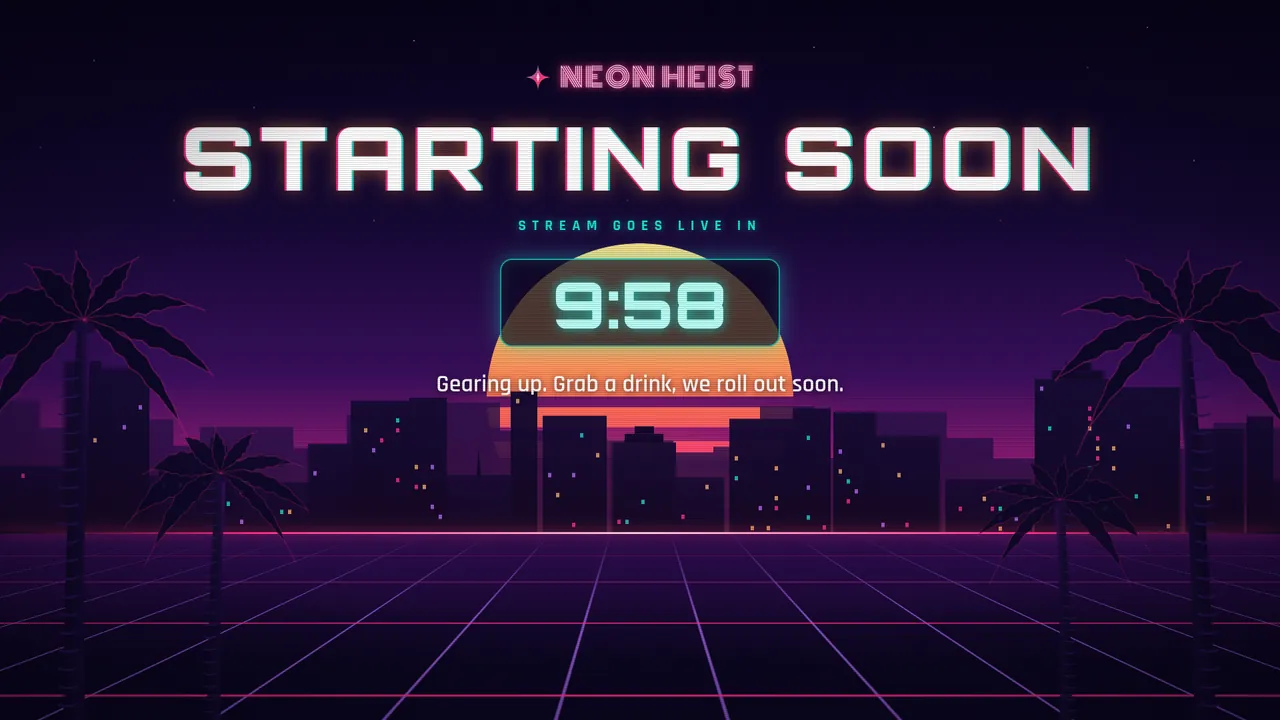
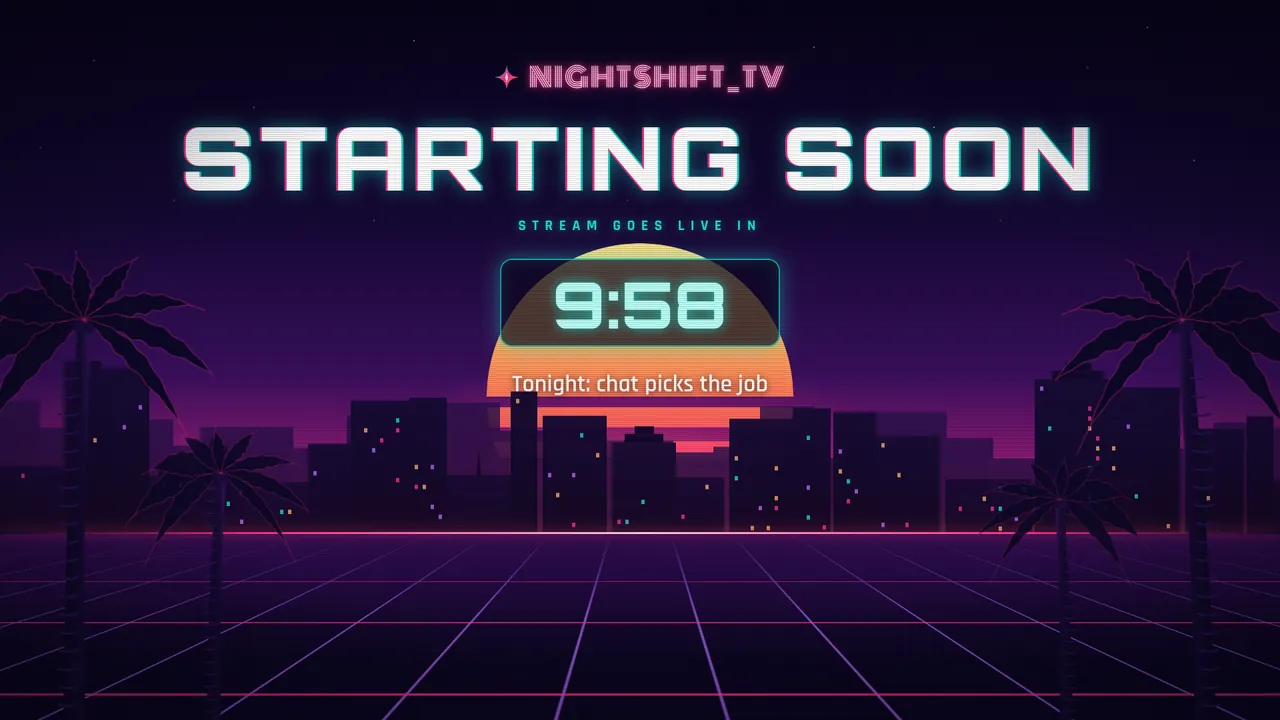
Starting Soon
Countdown to go-live, your title and a line of text.
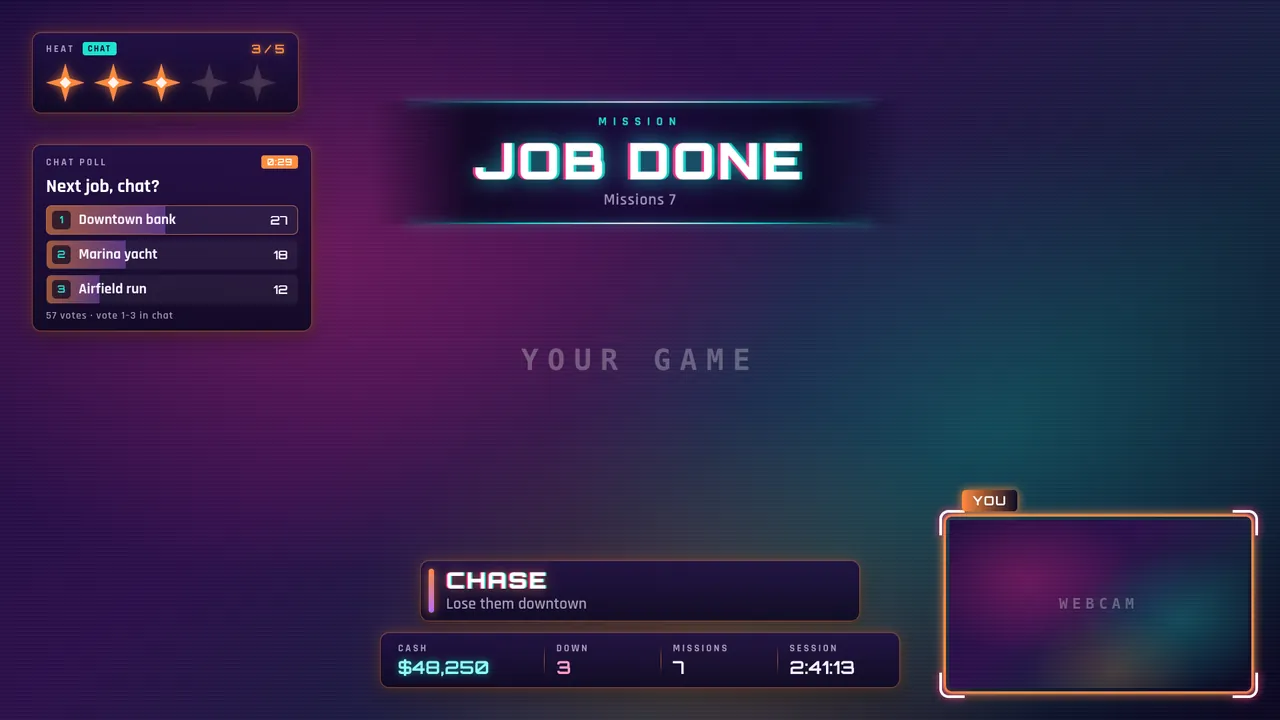
Gameplay
Your game full frame. Heat, poll, mode and stats stay out of the HUD corners.
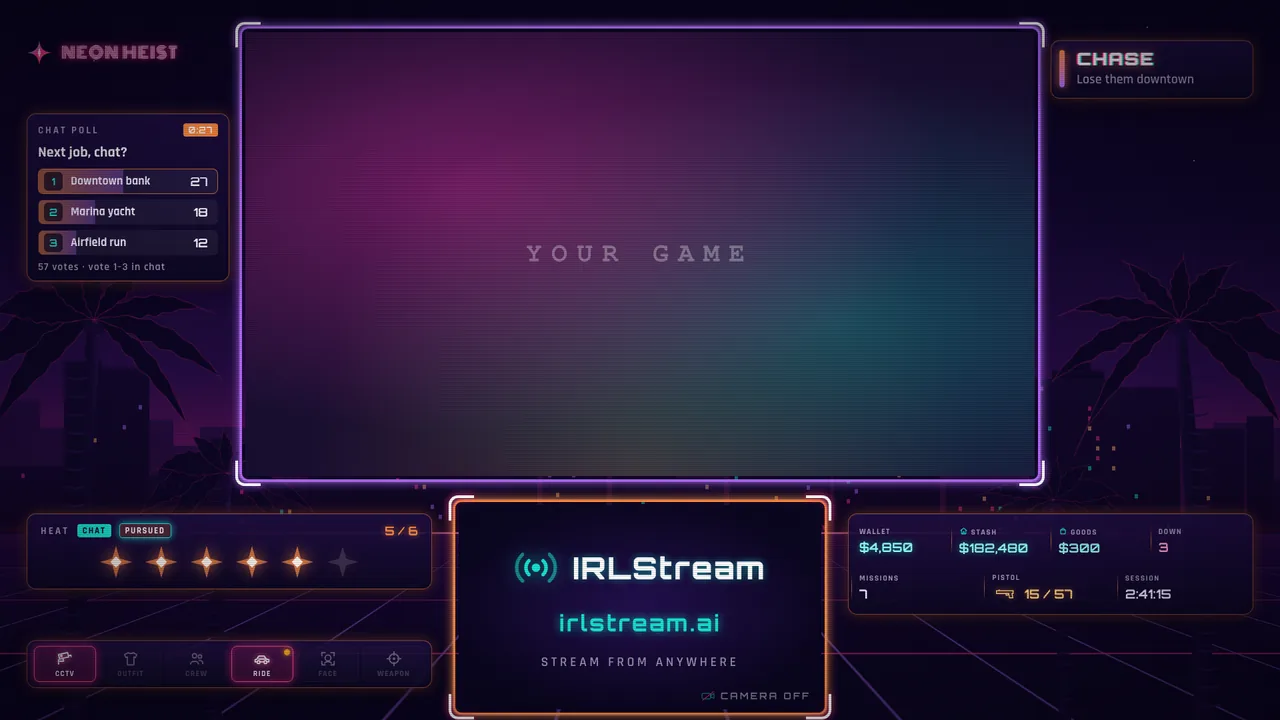
Single
One big game frame with your cam centred below. Camera off? It shows an IRLStream card.
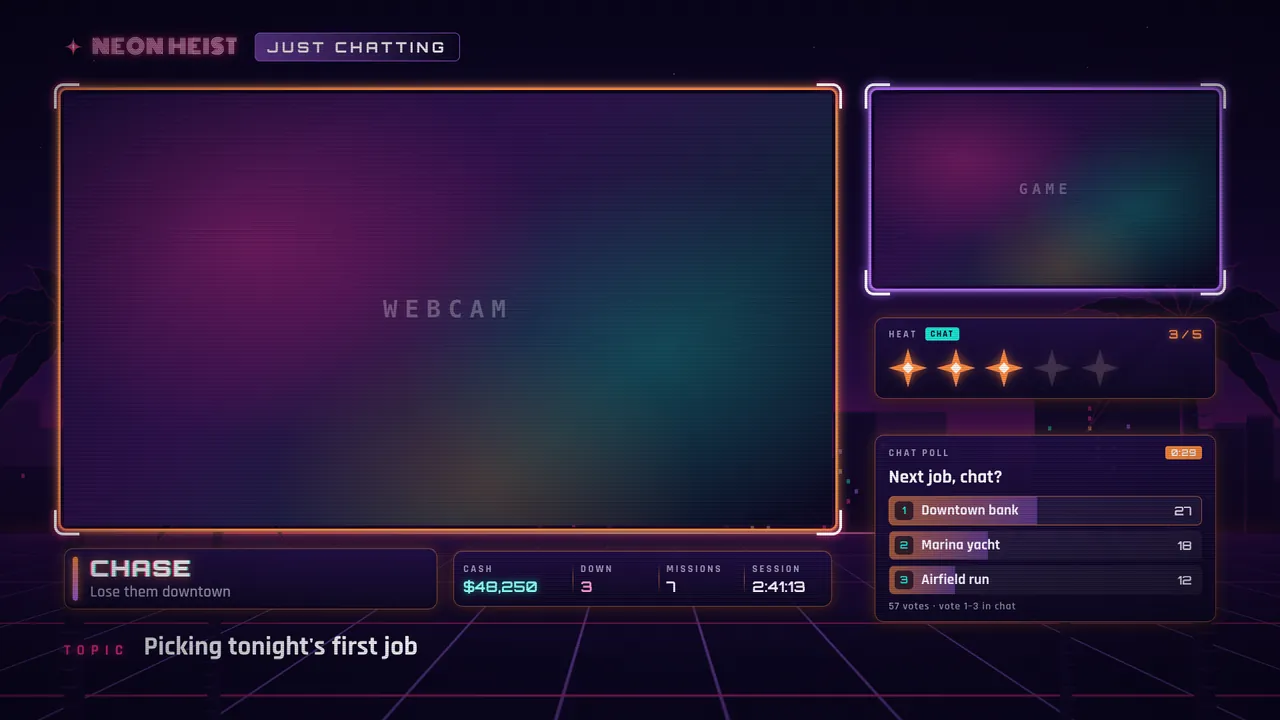
Just Chatting
Big webcam, the game in a corner, a topic line, heat and poll alongside.
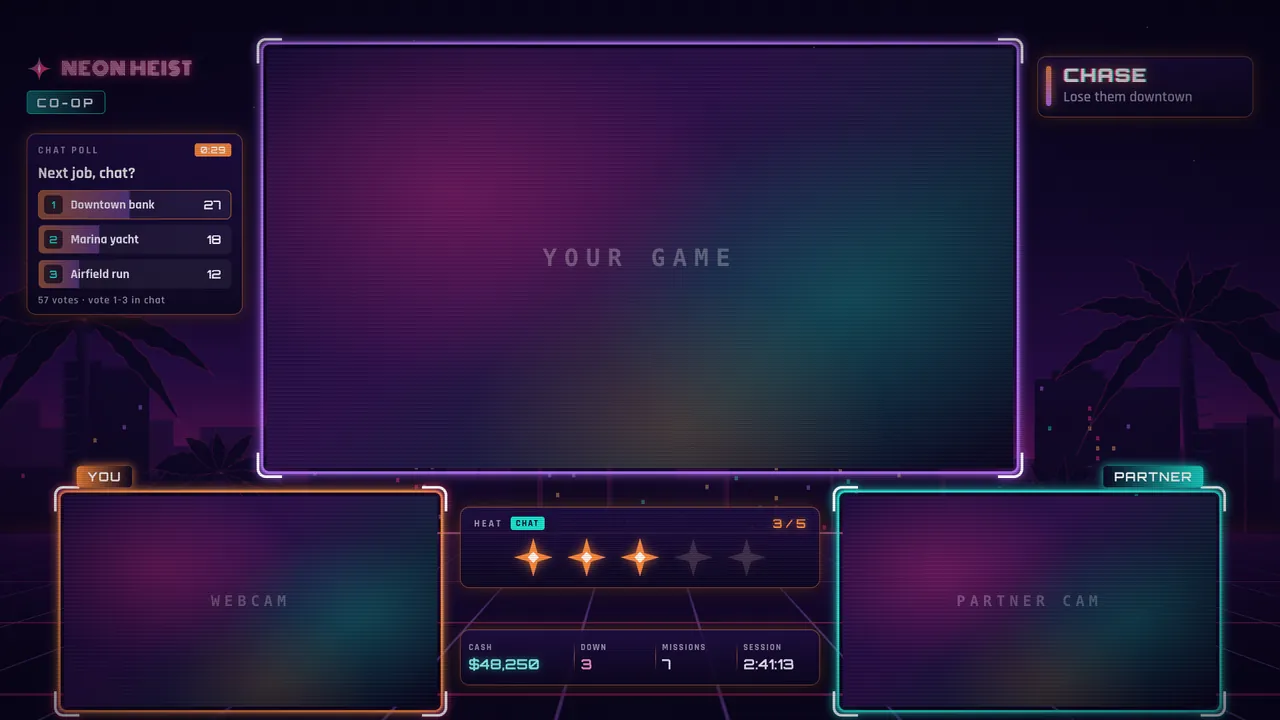
Duo
Co-op: the game up top with your cam and your partner’s cam below.
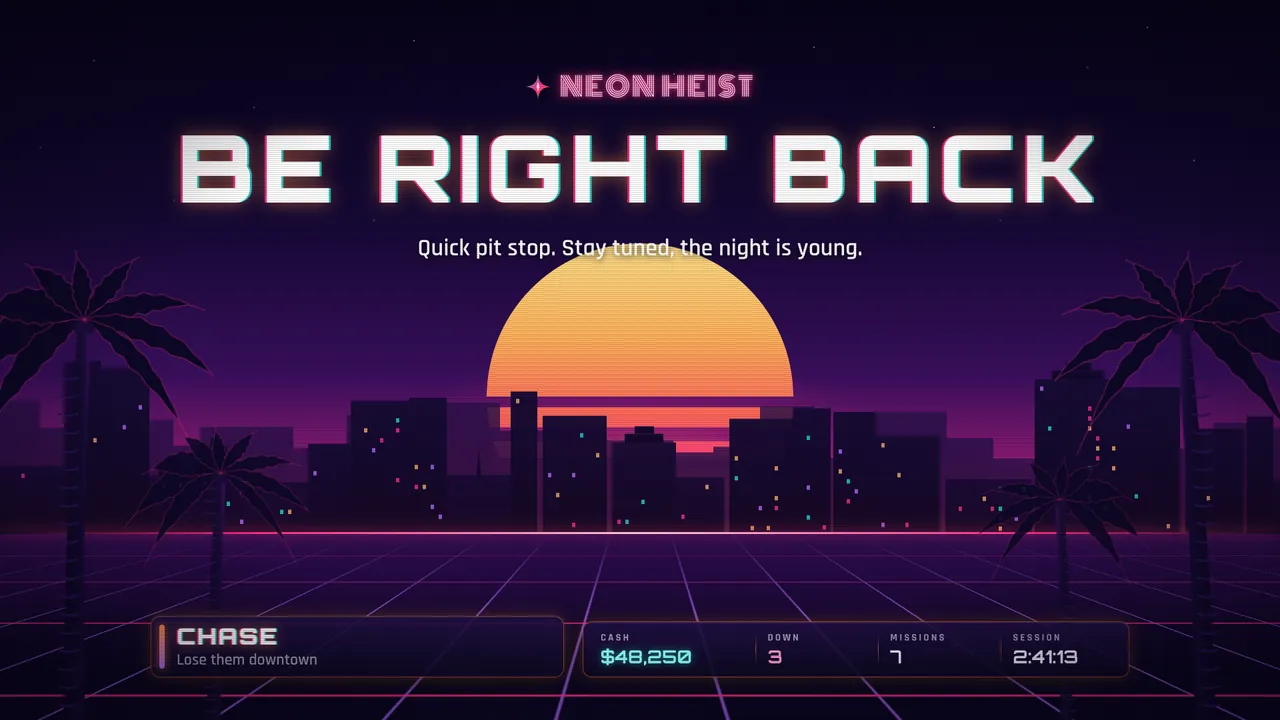
Be Right Back
A pit-stop screen that keeps the session stats on show.
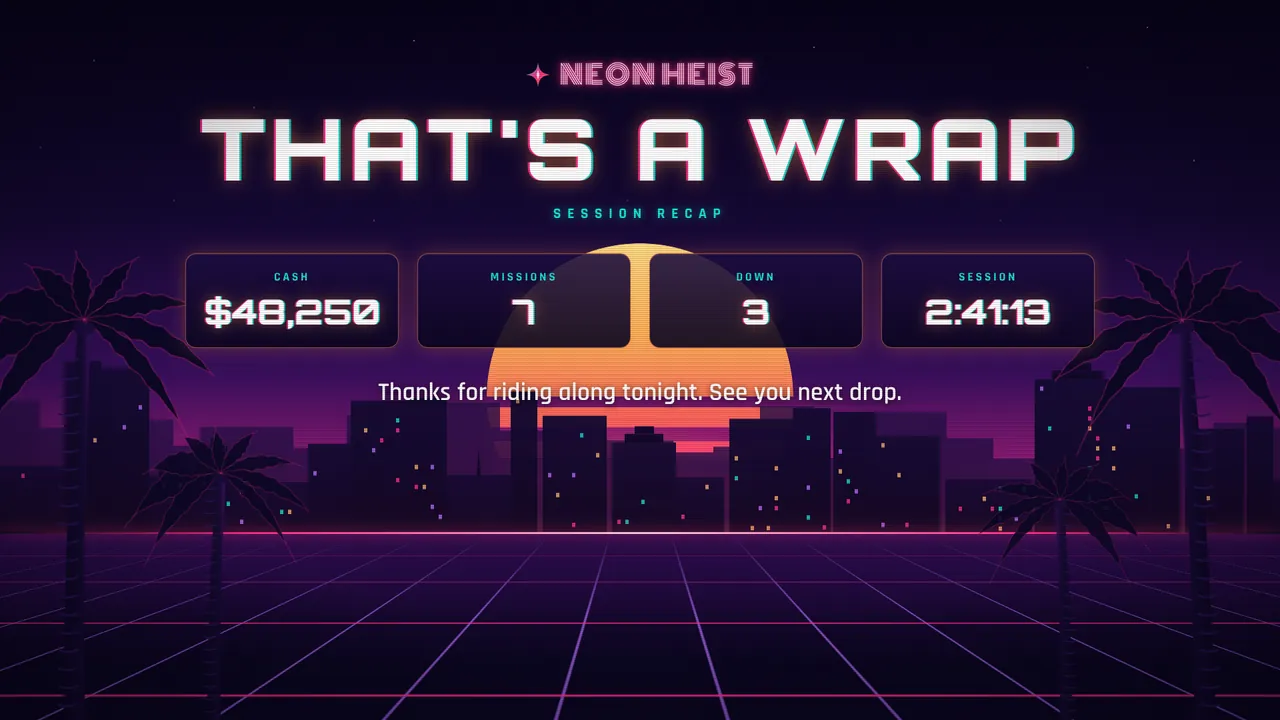
Ending
A session recap: cash, jobs, downs and time live.
Captured from the template's own pages with sample data. Game and webcam areas show stand-ins.
What's in it
Built for the session, not just the screen.
Reads the game HUD
Wanted stars and heat (including lying low), cash and bank and your weapon, read off the game HUD in real time.
Automatic stings
Heat up, Engine trouble and Heat cleared fire on their own when the game shows them.
Session stats
Cash, downs, jobs and time live, on screen in every scene and in the Ending recap.
Mode switcher
Heist, Chase, Cruise or None, or any mode name you like with your own colour.
Chat heist poll
Put the next job to a vote. Viewers type !vote and the bars fill live, then the winner shows.
Chat-driven heat
Chat can still push the heat with !heat and !wanted, plus bits and subs. Rate limited, so chat can’t spam it to max.
Mod commands
Your mods can switch mode, set heat, log a Down or a job and start or end a poll right from chat.
Auto-replay
A Down or a Job done replays the last 3 to 15 seconds over the game, on its own.
Stream Deck or dashboard
One private button URL for a Stream Deck, or click it all from the IRLStream dashboard.
No capture card needed
Stream from your console. We do the rest.
Your PS5 or Xbox already streams to Twitch. Point it at a second Twitch account, and IRLStream picks the game up from there, builds the show and rebroadcasts it to the channel you actually stream on.
Your console
Built-in broadcast, as usual
Relay channel
A second Twitch account
IRLStream Show
Neon Heist adds the live HUD, scenes, polls
Your main channel
What your viewers watch
Set it up once
- 1Make a second Twitch account for your console, like
yourname_relay. It's free. It only carries the game to IRLStream; your viewers stay on your main channel. - 2Link that relay account to your PS5 or Xbox and go live with the console's built-in broadcast, the same way you do today.
- 3In IRLStream, connect your main Twitch channel as a destination. Open Shows → Neon Heist → Use template, choose Twitch / URL for the game and type the relay channel's name.
- 4Press Start. Neon Heist reads the game HUD, runs your scenes and puts the finished show on your main channel.
Good to know
- Why two accounts? A Twitch channel takes one stream at a time. The console uses the relay; the finished show goes to your main channel.
- Keep viewers in one place. Set the relay's title to point at your main channel and turn its chat off.
- A few seconds behind. The game makes one extra hop through Twitch, so the show runs a little behind the console. Viewers won't notice.
- Got a capture card? Go direct instead, below: one Twitch account, faster overlay and a sharper picture.
Have a capture card?
Go direct. One Twitch account.
Then open Game integrations → Neon Heist · Stream Deck to download your button setup. Chat commands work as soon as the show's chat is live.
Console + IRLStream box
PS5 or Xbox Series X|S
- 1Turn off HDCP in the console settings, or the capture card gets no picture. On PS5 it's under Settings → System → HDMI; on Xbox, look under Settings → General → TV & display options.
- 2Console HDMI out → capture card → your IRLStream box. The box streams to its IRLStream ingest.
- 3In the dashboard, open Shows → Neon Heist → Use template, and pick the box's ingest as the game.
- 4Add a webcam (and a partner cam for co-op) if you like, choose your destinations and press Start.
OBS into IRLStream
“My OBS”, with your capture card on a PC or Mac
- 1Turn off HDCP on the console as above, and add the capture card to OBS.
- 2Create a stream ingest in the IRLStream dashboard and paste its address into OBS → Settings → Stream.
- 3Open Shows → Neon Heist → Use template and pick that ingest under My OBS as the game.
- 4Choose your destinations and press Start. IRLStream puts the show on Twitch, YouTube, Kick and the rest.
Make it yours
Your name in lights. Your game in view.
Your title on screen
Swap “NEON HEIST” for your channel name or show title, up to 32 characters. Or hide it.
Accent colour
Each mode brings its own colour, or lock in one accent for your brand.
Webcam corner
Put your cam in any corner of the Gameplay scene. The widgets move out of its way.
HUD-safe margins
Tell it which corners the game HUD uses and how much margin to keep. Nothing covers them.
Co-op partner cam
Add a second cam for your partner, with name tags. It’s optional: leave it out and Gameplay drops it.
FAQ
Questions, answered.
Does it work on PS5 and Xbox?
Yes, PS5 and Xbox Series X|S. With no capture card, the console streams to a second Twitch account with its built-in broadcast, and IRLStream rebroadcasts the finished show to your main channel. With a capture card, go into an IRLStream box or OBS and straight to IRLStream (turn off HDCP in the console settings so the card gets a picture).
Do I need a capture card?
No. Stream from the console to a second (relay) Twitch account and IRLStream picks it up from there. See No capture card needed. A capture card is optional: it lets you skip the relay account, and the overlay reacts a little faster.
What about PC?
The game is out on PS5 and Xbox Series X|S only for now, with no PC version yet. You can still run your capture card through OBS on a PC or Mac and send that to IRLStream.
Does it read the game HUD automatically?
Yes. Neon Heist reads the HUD in real time: wanted stars and heat (including lying low), cash and bank, and your weapon. It fires stings like Heat up, Engine trouble and Heat cleared on its own. Chat commands, your Stream Deck and the dashboard keep working alongside it.
Do I need a webcam?
No. Neon Heist works with or without a webcam.
Can I change the “NEON HEIST” title?
Yes. Set your own on-screen title of up to 32 characters, like your channel name, or hide it. You can also pick an accent colour, the webcam corner and the HUD-safe margins.
Can I stream co-op with a partner?
Yes. Add an optional partner cam: it sits next to yours in the Gameplay scene and side by side with yours under the game in the Duo scene, with name tags.
Can I stream it vertically for TikTok?
Neon Heist is wide 16:9 at launch. There is no vertical layout for it yet.
What does it cost?
Neon Heist runs in IRLStream Shows. See which plan includes Shows on the pricing page.
GTA 6 Stream Template · Coming Nov 19
Your next session,
on brand from minute one.
Create your account, pick a plan and run Neon Heist on your next session. No coding, no OBS setup.
Neon Heist is an original IRLStream template made to be used while streaming GTA 6. IRLStream is not affiliated with or endorsed by Rockstar Games or Take-Two Interactive. Grand Theft Auto and GTA are trademarks of Take-Two Interactive; all trademarks belong to their respective owners.